
Internet of Things (IoT) Examples: 12 Smart Devices Already Around You
The “Internet of Things” may sound like something only engineers need to understand. In reality, you probably used several IoT devices before breakfast — maybe a fitness watch counted your steps, or a video doorbell showed you a delivery while you were at work.
The Internet of Things, usually shortened to IoT, simply means everyday objects that connect to the internet and can send or receive information. A normal lamp just switches on and off. A smart lamp can be controlled from your phone, change colour, and turn itself off when you leave the house. That connection — and the data it shares — is what makes something part of the IoT.
In this guide, we explain how IoT works in plain words and look at 12 real examples grouped by where you meet them: at home, on your body, in your city, and on farms.
How Does the Internet of Things Work?
Most IoT devices follow the same simple pattern:
- Sensors collect information. A device measures something — temperature, movement, your heart rate, or whether a door is open.
- The device connects to the internet via Wi-Fi, Bluetooth, mobile networks or a smart home hub.
- An app or service makes it useful. The data appears in an app, triggers an automatic action, or sends you an alert.
A smart thermostat, for example, senses the room temperature, compares it with the schedule in its app, and turns the heating on or off by itself. Once you see this pattern — sense, connect, act — almost every IoT gadget makes sense.
IoT Examples at Home
1. Smart Speakers and Voice Assistants
Smart speakers sit in your kitchen or living room and respond to your voice: ask for the weather, set timers, play music, or control other devices hands-free. They are often the first IoT device people buy.
2. Smart Lights
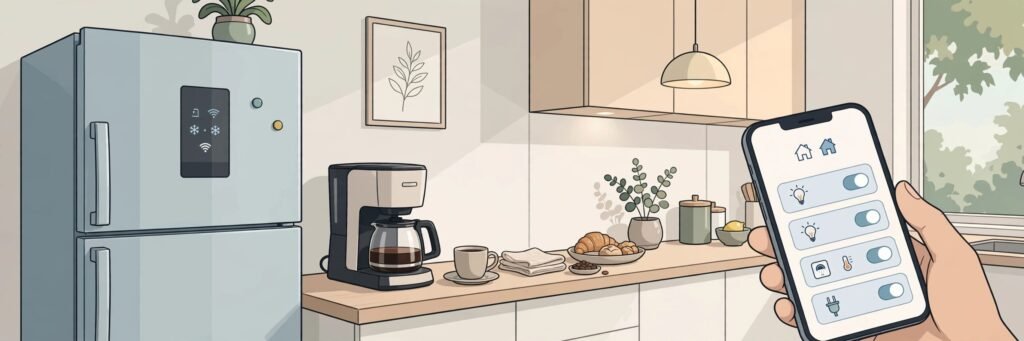
Smart bulbs and light strips connect to your Wi-Fi so you can dim them, schedule them, or change their colour from an app. Popular tricks include brightening gradually in the morning, or switching off automatically when everyone leaves home.
3. Smart Plugs
A smart plug turns an ordinary appliance into a connected one. Plug in a fan, lamp or coffee maker and you can switch it on from your phone, set schedules, and sometimes track its electricity use. It is one of the cheapest ways to try IoT.
4. Video Doorbells and Home Cameras
These send live video and motion alerts to your phone, so you can see who is at the door, speak to a visitor, or check on a pet from anywhere.
5. Smart Thermostats
A smart thermostat learns your routine and adjusts heating or cooling to save energy while keeping you comfortable. Many let you warm the house from your phone on the way home, instead of heating an empty house.
6. Robot Vacuum Cleaners
Robot vacuums map your rooms, clean on a schedule, and return to their charging dock by themselves. You control them from an app — even starting a clean while you are at work.
IoT Examples for Health and Fitness
7. Fitness Trackers and Smartwatches
Wearables track steps, sleep, heart rate and workouts, then sync everything to an app where you can see trends over time. They show how IoT turns tiny sensors into useful personal information.
8. Smart Scales and Health Monitors
Connected scales record weight and send it to your health app automatically. Some blood pressure monitors do the same, making readings easier to share with a doctor. Treat these as helpers, not medical advice.
IoT Examples in Cities and Transport
9. Connected Cars
Modern cars connect to the internet for live traffic, map updates and remote locking from an app. Some can even warn you a service is due before a warning light appears.
10. Smart Traffic and Parking Systems
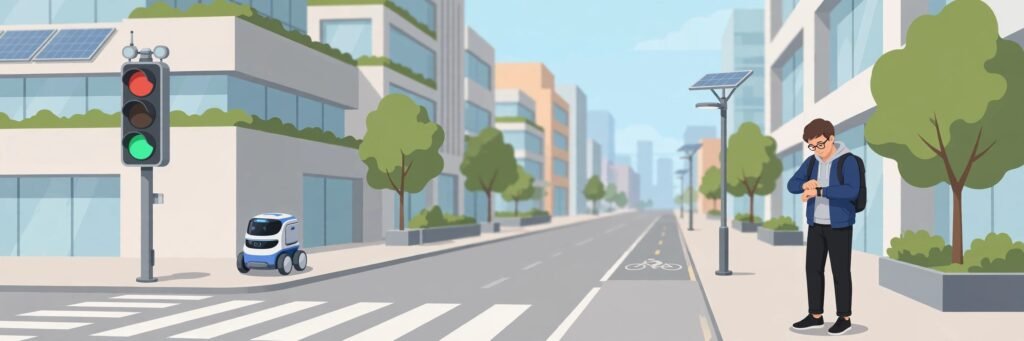
Many cities use connected sensors to monitor traffic, adjust traffic light timing, and show drivers where parking is free — fewer jams, less circling for a space.
11. Smart Street Lighting
Connected street lights dim when no one is around, brighten when they detect movement, and report their own faults, so broken lights get fixed faster.
IoT Examples on Farms and in Industry
12. Smart Farming Sensors
Farmers use soil sensors that report moisture levels, so crops get water exactly when they need it, not on a fixed schedule. Trackers on livestock can flag a sick animal early, and factory sensors warn engineers before a breakdown.
Benefits of the Internet of Things
- Convenience. Control lights, heating and appliances from one app, wherever you are.
- Saving energy and money. Smart thermostats, plugs and lights help you use less electricity without thinking about it.
- Safety. Cameras, doorbells and leak or smoke sensors alert you to problems early.
- Better information. Health and home devices reveal patterns — sleep, energy use — otherwise invisible.
Privacy and Security Cautions
Every connected device is also a small computer, so it deserves a little care:
- Use strong, unique passwords for each smart home account, with two-step verification where offered — never leave a default password in place.
- Keep devices updated. Updates fix security problems, so turn on automatic updates where possible.
- Check what data a device collects. Review the app’s privacy settings, and turn off features you do not use — such as a camera’s microphone.
- Buy from known brands that publish clear privacy policies and support their products with updates.
- Secure your Wi-Fi. A strong router password protects every device on it; some people keep smart gadgets on a separate guest network.
A few sensible settings give you the benefits of IoT while keeping the risks small.
Frequently Asked Questions
What is the Internet of Things in simple words?
Everyday objects — lights, watches, cameras, cars — that connect to the internet so they can send information, receive instructions, or work automatically through an app.
Is a smartphone an IoT device?
A smartphone is better described as the IoT’s controller: it runs the apps managing your smart devices. The things it controls — wearables, plugs, cameras — are the classic examples.
Do I need special internet for IoT devices?
Usually not. Most home IoT devices work on ordinary Wi-Fi; some use Bluetooth to reach your phone, and devices far from home, like car trackers, may use mobile networks.
Are IoT devices safe to use?
They can be, with basic steps: strong unique passwords, two-step verification, regular updates and sensible privacy settings. Problems usually start with factory default passwords or abandoned updates.
What is a good first IoT device to try?
A smart plug or smart bulb: inexpensive, easy to set up, and an instant taste of controlling devices from an app.
Conclusion
The Internet of Things is not a distant future — it is the watch on your wrist, the doorbell on your front door and the lights in your living room, all quietly connected. Start small, choose devices that solve a real problem, and set them up with care. For more plain-English tech guides, keep exploring YumPlatter.