
Smart Home Technology for Beginners: What It Is and Where to Start
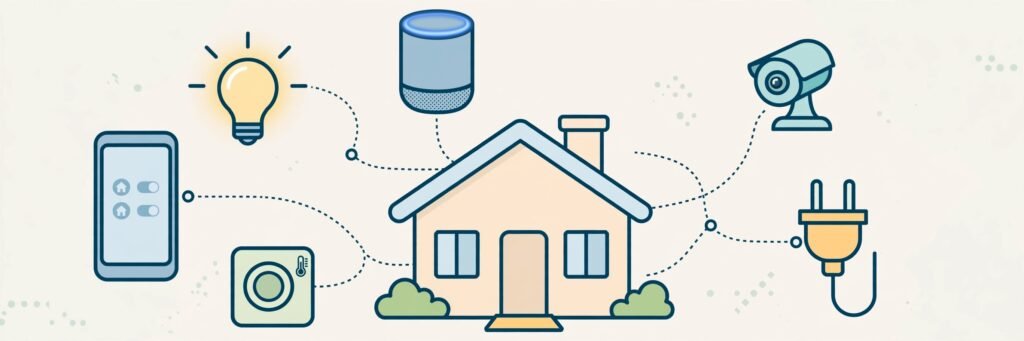
Imagine saying “good night” and watching the lights turn off, the front door lock, and the thermostat settle for the evening — all by themselves. That is smart home technology: ordinary home devices, like lights, plugs and cameras, that connect to the internet so you can control them from your phone or with your voice.
It sounds futuristic, but you do not need a mansion or a big budget to start. One or two well-chosen devices are enough to feel the benefit. This guide explains the main types of smart home devices, how they connect, and a simple plan for starting your own smart home.
What Makes a Device “Smart”?
A smart device has three things: a connection (usually Wi-Fi), an app or voice control, and the ability to follow schedules or automation. A smart bulb, for example, is still just a bulb — but you can dim it from the sofa, set it to turn on at sunset, or have it switch off automatically when everyone leaves home.
The Main Types of Smart Home Devices
Smart Speakers and Displays
A smart speaker with a built-in voice assistant is the usual starting point. You can ask it to play music, set timers, answer questions, read the weather — and control your other smart devices by voice. Smart displays add a screen, handy for video calls, recipes and seeing who is at the door.
Smart Lights
Smart bulbs and light strips screw in like normal bulbs but offer control over brightness and often colour. You can group them by room, set schedules, and create “scenes” — a bright setting for working, a warm one for film night.
Smart Plugs
A smart plug sits between a wall socket and an ordinary appliance — a lamp, a fan, a coffee maker — and lets you switch it on or off from your phone or on a timer. It is the cheapest way to make “dumb” devices a little bit smart, and some models even track energy use.
Smart Cameras and Video Doorbells
Connected cameras let you check on your home from anywhere and send an alert when they detect movement. A video doorbell shows and records who is at your door and lets you speak to visitors from your phone, even when you are out. Look for clear night vision and the option to store clips safely.
Smart Thermostats
A smart thermostat learns or follows your routine so heating and cooling run only when needed. It can lower the temperature when you leave and warm the house before you return. Over time, that convenience can also mean less wasted energy.
Other Popular Devices
Smart locks, robot vacuum cleaners, smart TVs and leak or smoke sensors all fit into the same system. Add them later, once the basics are in place.
How Smart Home Devices Connect
Most beginner devices connect in the same simple way:
- Your Wi-Fi router is the centre of the system. Devices join your home network, just like your phone does.
- An app on your phone is where you set devices up, name them (“Kitchen light”), and control them.
- A voice assistant — such as Amazon Alexa, Google Assistant or Apple Siri — links everything together so one command can control many devices. Pick one assistant and stay with it; devices labelled as working with your chosen assistant will play nicely together.
- Automations and routines are simple rules you create: “at sunset, turn on the porch light” or “when I say good morning, start the coffee maker.”
Some advanced devices use low-power networks like Zigbee or Thread through a small hub, but beginners can happily start with plain Wi-Fi devices.
A Simple Starter Plan
Do not buy everything at once. Build slowly:
- Start with a smart speaker in the room you use most. Learn the voice commands; it takes a weekend to feel natural.
- Add two or three smart bulbs or a smart plug for a lamp. Set a schedule and a simple routine.
- Add one practical device that solves a real annoyance — a video doorbell if you miss deliveries, or a smart thermostat if your heating bills are high.
- Expand gradually, one device at a time, checking each works with your chosen voice assistant before you buy.
Privacy Tips for a Smart Home
Connected devices are convenient, but they do listen, watch or record by design. A few sensible habits keep you in control:
- Use strong, unique passwords on your home Wi-Fi and smart home accounts, and turn on two-step verification where offered.
- Keep devices updated. Updates fix security problems; most apps can install them automatically.
- Check the settings. Review what your camera records, where clips are stored, and use the microphone mute button on speakers when you want privacy.
- Place cameras thoughtfully — entrances and shared spaces, yes; private rooms deserve care, and guests should know a camera is there.
- Buy from known brands. Established companies are more likely to support devices with updates for years.

Frequently Asked Questions
Do I need fast internet for a smart home?
A normal home broadband connection is fine. Smart devices use very little data — only video cameras and doorbells use a noticeable amount when uploading clips.
What happens if the internet goes down?
Basic things keep working: light switches still switch lights, and most devices keep their last settings. Voice control and app control usually pause until your connection returns.
Can I mix brands of smart devices?
Yes, as long as they support the same voice assistant or smart home platform. Check the box or product page for “Works with Alexa”, “Works with Google Home” or similar labels before buying.
Is a smart home expensive to run?
The devices themselves use very little electricity. Smart heating controls and lights on schedules can even reduce waste, so a thoughtful setup may save energy rather than add to your bills.
Where should a complete beginner start?
With one smart speaker and one smart bulb or plug. That small pair teaches you apps, voice control and routines — everything else is just more of the same.
Conclusion
Smart home technology is simply your lights, plugs, cameras and heating joining the internet so they can work together for you. Start small, choose one voice assistant, build up slowly, and keep your accounts secure. Before long, your home quietly handles the little jobs you used to do yourself. For more beginner-friendly guides like this, keep exploring YumPlatter.