
Best Note Taking Apps in 2026: 9 Apps to Organise Your Ideas
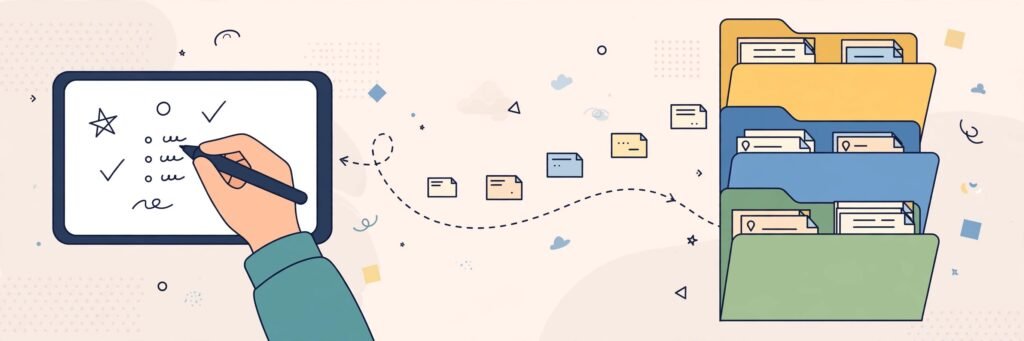
Shopping lists on sticky notes. Meeting points in three different apps. That brilliant 2 a.m. idea… somewhere. If your notes are scattered everywhere, a good note taking app can pull them into one searchable place you can reach from your phone, tablet and computer.
The best note taking app is not the one with the longest feature list — it is the one you will actually open every day. Below are nine well-known apps worth considering, grouped by what they do best, with honest notes about their free versions.
What to Look for in a Note Taking App
- Sync across your devices. Your note from the bus should be waiting on your laptop at home.
- Search that really works. As your notes grow, folders matter less and fast search matters more.
- A free version you can live with. Almost every app below has a free tier, but limits on devices, storage or features vary — and they change over time, so check the app’s own page before committing.
- Easy ways out. Good apps let you export your notes, so you are never locked in.
Best All-Round Note Taking Apps
1. Microsoft OneNote
OneNote works like a digital ring binder: notebooks divided into sections and pages, where you can type, draw, clip web pages and drop in photos almost anywhere on the page. Its free version is one of the most generous around, it syncs through a free Microsoft account, and it suits people who like a paper-notebook feel without strict rules.
2. Evernote
One of the original note apps, Evernote is strong on capturing things — web pages, scanned documents, photos of whiteboards — and finding them again with powerful search, including text inside images. Its free version has become quite limited in recent years, so treat it as a trial and expect to pay if you rely on it heavily.
3. Notion
Notion is part notes, part personal organiser. Pages can hold checklists, tables, calendars and linked databases, which makes it a favourite for projects and study planning. The free version is generous for individual use, though the freedom can feel overwhelming at first — start with a simple page and grow slowly.
4. Apple Notes
If you use an iPhone, iPad or Mac, Apple Notes is probably already on your devices, free and quietly capable: folders, checklists, scanned documents, handwritten scribbles and quick notes from the lock screen. It does not work on Windows or Android, which is its main limit.
5. Google Keep
Keep is the digital sticky note: fast, colourful and perfect for lists, reminders and capturing a thought in five seconds. It is free with a Google account and works everywhere, but it is deliberately simple — long documents and heavy organisation belong in another app.
Best Note Taking Apps for Handwriting
6. GoodNotes
Popular with students and tablet users, GoodNotes turns an iPad or Android tablet plus a stylus into a paper notebook that never runs out: realistic handwriting, PDF annotation and handwriting search. A limited free version lets you try it, but regular users will likely need the paid version.
7. Notability
Another tablet favourite, Notability pairs handwriting with audio recording, so you can tap a word in your notes and hear what was being said in the lecture or meeting at that moment. Like GoodNotes, it is free to start with limits, and aimed mostly at Apple devices.
Best Note Taking Apps for Research and Long-Term Knowledge
8. Obsidian
Obsidian stores your notes as plain text files on your own device and links them together like a personal Wikipedia. It is free for personal use, works offline, and is loved by writers and researchers building a long-term knowledge base. Syncing between devices is an optional extra, and the setup takes a little learning — but your files stay fully under your control.
9. Joplin
Joplin is a free, open-source alternative that stores notes in notebooks with tags, supports attachments, and syncs through services you may already use. It lacks the polish of the big names, but it is private, capable and genuinely free, with apps for all major platforms.
How to Choose the Right App for You
- You want simple and free, everywhere: OneNote or Google Keep.
- You are all-Apple: Apple Notes for everyday notes, GoodNotes or Notability for handwriting.
- You organise whole projects or studies: Notion.
- You capture lots of web pages and documents: Evernote — with its free limits in mind.
- You are building knowledge for years and value privacy: Obsidian or Joplin.
A practical tip: pick one app, use it for two weeks for everything, and only switch if something genuinely annoys you. Constantly moving apps is the fastest way to stay disorganised.

Frequently Asked Questions
Are free note taking apps really free?
Most are free to start and fine for light use, but free versions commonly limit things like the number of devices, monthly uploads or advanced features. Only upgrade if you hit a limit that truly gets in your way.
Which note taking app is best for students?
OneNote is a strong free choice for typed class notes, GoodNotes is excellent for handwritten notes on a tablet, and Obsidian suits students building linked revision notes over a whole course.
Can these apps read my handwriting?
Several can. GoodNotes, Notability, OneNote and Apple Notes can search handwritten words in many cases, though results depend on how neat your writing is.
What happens to my notes if I stop using an app?
In most apps you can export notes, often as PDFs or text files. Obsidian and Joplin store notes in open formats, which makes leaving easiest. Whatever you choose, export an important collection now and then as a backup.
Paper or app — which is better?
Paper is distraction-free; apps win on search, backup and having your notes on every device. Many people happily use both: paper for thinking, an app for keeping.
Conclusion
There is no single best note taking app — only the best one for your habits. Start free: OneNote or Google Keep for most people, GoodNotes if you love handwriting, Obsidian if you are building a long-term library. Give your choice a fair two-week trial, keep it simple, and enjoy opening one app and finding everything there. For more honest app guides and comparisons, keep exploring YumPlatter.