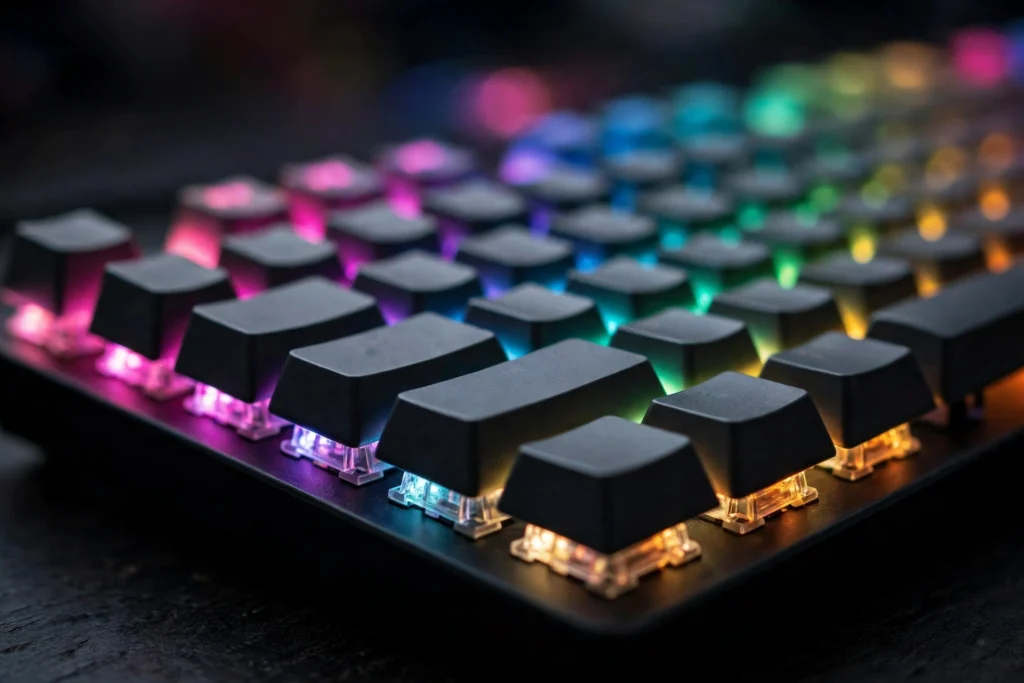

Once you type on a good mechanical keyboard, a flat laptop keyboard feels like typing on a wet sponge. Each key has its own switch, its own travel, and its own sound, and the result is typing that feels precise and satisfying instead of mushy. The best mechanical keyboards in 2026 cover everyone: writers who type all day, gamers who need speed, office workers who need quiet, and tinkerers who want to swap every part.
This list covers the full range. There are budget boards that cost less than a night out, premium boards that feel like they were machined from a single block, and hot-swappable models that let you change switches without a soldering iron. Every keyboard here was picked for how it feels in real use — typing, gaming, or both — not just how it looks in a photo.
A quick note on switches, since they decide everything: linear switches press straight down and are best for gaming, tactile switches give a small bump and suit typing, and clicky switches are loud and satisfying but best kept away from shared offices. Most boards on this list let you choose.
1. Keychron Q1 Max
The Keychron Q1 Max is the keyboard most enthusiasts recommend first, and after a week with one it is easy to see why. The aluminium case gives it a solid, expensive feel, the keys are lubed from the factory so they glide instead of scratching, and the sound is a deep, satisfying thock that makes typing feel like a pleasure rather than a chore. It connects over Bluetooth, 2.4GHz wireless, or USB-C, so it works with a laptop, a desktop, and a tablet without re-pairing.
It is fully hot-swappable, which means you can pull a switch out and push a new one in with no tools and no soldering — a five-minute job that changes the whole feel of the board. QMK support lets you remap any key and build layers for shortcuts, and the battery lasts for weeks of normal use. At around $200 it is not cheap, but it replaces the need to buy three keyboards while you work out what you like. For typists who want one board that does everything well, this is the benchmark.
2. Logitech G Pro X TKL Lightspeed
The Logitech G Pro X TKL is the tournament keyboard, built for gamers who travel to events and need a board that works the same way every time. It is compact, with no number pad, so your mouse has room to move, and the Lightspeed wireless connection is as fast and stable as a cable. The GX switches are hot-swappable, so you can try linear, tactile, or clicky switches without buying a new board.
What sets it apart is consistency. The keys feel the same on day one and day three hundred, the board is built to survive being thrown in a bag, and the software lets you save lighting and key settings on the board itself. Battery lasts around 50 hours with lighting on, and far longer with it off. It is not the prettiest board on this list, and the keycaps are ABS plastic that will shine with use, but for competitive gaming it is one of the safest buys you can make.
3. Keychron K8 Pro
The Keychron K8 Pro is the value pick that made mechanical keyboards mainstream. It is a full-size tenkeyless board with hot-swappable switches, QMK support, Bluetooth, and a solid build, for a price that often sits around $100. For a first mechanical keyboard, it gives you almost everything the premium boards offer at half the cost.
The typing feel is good out of the box, and it gets better with a little tinkering — swapping switches or adding foam takes minutes and is half the fun of owning a board like this. It works with Windows and Mac, with a switch on the back to change layouts, and the keycaps are legible and pleasant to type on. The plastic case does not feel as premium as the Q1 Max, and the sound is a little higher-pitched, but those are fair trade-offs. If you are curious about mechanical keyboards and do not want to spend a fortune finding out, start here.
4. Razer BlackWidow V4 Pro
The Razer BlackWidow V4 Pro is the showpiece: a full-size board with a command dial, dedicated macro keys, underglow lighting, and a magnetic wrist rest. It looks like it belongs on a streaming setup, and the Chroma lighting syncs with games and other Razer gear for a light show that reacts to what is happening on screen. Under the spectacle, it is a serious keyboard: Razer Green clicky or Yellow linear switches, doubleshot keycaps, and a solid frame.
Gamers get a lot here: eight macro keys, a multi-function dial for volume or zoom, and USB passthrough for a mouse or headset. The software is powerful, letting you bind complex macros and per-game lighting profiles. The downsides are the price, the size — it dominates a desk — and the fact that the best features need Razer’s software running. If you want a full-size gaming board that makes a statement, this is the one.
5. NuPhy Air75 V2
The NuPhy Air75 V2 is the low-profile pick, and it is the board for anyone who finds normal mechanical keyboards too tall. It is slim, light, and quiet, with low-profile switches that feel closer to a laptop keyboard but keep the crisp, precise feel of a mechanical switch. It looks smart on a desk, and it slips into a bag easily for working away from home.
It connects over Bluetooth, 2.4GHz, or USB-C, and the battery lasts for weeks. The switches are hot-swappable, which is rare on a low-profile board, and the keycaps are clean and legible. Typing on it is fast and comfortable for long sessions, though the low profile means less key travel, which some typists miss. If you type all day and want a mechanical feel without the bulk or the noise, the Air75 V2 is the most elegant option on this list.
6. Royal Kludge RK61
The Royal Kludge RK61 is the cheapest proper mechanical keyboard worth buying, and it has introduced thousands of people to the hobby. It is a 60 percent board — no number pad, no function row, no arrow keys — which makes it tiny enough for a small desk or a bag. It is hot-swappable, connects over Bluetooth or USB-C, and comes with a choice of switch types.
The typing feel is surprisingly good for the price, with a solid sound and no rattling stabilisers on most units. The trade-offs are obvious: the keycaps are thin ABS, the software is basic, and the 60 percent layout takes a week to learn, since arrow keys live on a function layer. Battery lasts around 10 hours with the backlight on, and much longer with it off. As a first board, a travel board, or a gift for a curious gamer, it is remarkable value.
7. Ducky One 3
Ducky has built its name on doing the basics brilliantly, and the One 3 is the proof. It is a no-nonsense, beautifully built keyboard with genuine Cherry MX switches, thick doubleshot PBT keycaps that never shine or fade, and a case that feels like it will last a decade. There is no software to install and no wireless to charge — you plug it in and type.
The typing feel is the star: stable, consistent, and satisfying, with a sound that is deep without being loud. It comes in full-size, tenkeyless, and smaller layouts, with a wide choice of Cherry switches, so you can pick the exact feel you want. The lack of wireless and hot-swapping will put off tinkerers, and the design is plain next to a Razer, but for writers and office workers who want a keyboard that simply works, beautifully, for years, the One 3 is hard to beat.
8. Akko 5075B Plus
The Akko 5075B Plus is the budget board that sounds like a premium one. It comes with Akko’s own lubricated switches and thick PBT keycaps, and the result is a deep, creamy typing sound that boards costing three times as much struggle to match. It is a 75 percent layout — compact, but with arrow keys and a function row, so you lose nothing important.
It connects over Bluetooth, 2.4GHz, or USB-C, and the battery lasts for weeks. The switches are hot-swappable, and Akko sells a huge range of keycap sets if you want to change the look. The software is functional rather than delightful, and the stabilisers can need a little attention on some units, but those are small complaints at this price. If sound and feel matter most and your budget is modest, the 5075B Plus is the board to buy.
Quick Comparison
| Keyboard | Layout | Hot-swappable | Best for |
|---|---|---|---|
| Keychron Q1 Max | 75% | Yes | Best all-round |
| Logitech G Pro X TKL | Tenkeyless | Yes | Competitive gaming |
| Keychron K8 Pro | Tenkeyless | Yes | First mechanical board |
| Razer BlackWidow V4 Pro | Full-size | No | Gaming showpiece |
| NuPhy Air75 V2 | 75%, low-profile | Yes | Typing, travel |
| Royal Kludge RK61 | 60% | Yes | Budget, small desks |
| Ducky One 3 | Various | No | Typing, durability |
| Akko 5075B Plus | 75% | Yes | Sound on a budget |

How to Choose a Mechanical Keyboard
Start with the switches, because they decide how the board feels. Linear switches are smooth and fast, which suits gaming and fast typing. Tactile switches give a small bump as you press, which many writers prefer because it tells your fingers the key registered. Clicky switches add a loud click to that bump — satisfying at home, unwelcome in an open office. If you are unsure, a hot-swappable board like the Keychron Q1 Max or the Akko 5075B Plus lets you try different switches later without buying a new keyboard.
Then think about size. A full-size board has a number pad, which matters if you work with figures. A tenkeyless board drops the number pad and gives your mouse more room, which gamers prefer. A 75 percent board keeps the arrows and function row in a compact frame, and a 60 percent board is tiny but hides the arrows on a function layer. Measure your desk before you buy a full-size board — the Razer BlackWidow V4 Pro needs real space. If you share a desk or work in a small room, a 75 percent board like the Keychron Q1 Max or the Akko 5075B Plus gives you almost everything in far less space, and your mouse will thank you for the extra room. And if you type for a living, the board you use matters as much as the machine it plugs into, so keep your setup fast with the tips in How to Speed Up Your Laptop (12 Easy Fixes That Really Work) and Windows 11 Hidden Features (15 Tricks Most People Miss).
Keyboard Maintenance Tips
A mechanical keyboard is built to last, but a little care keeps it feeling new. Clean it once a month: pull the keycaps off with the tool that came in the box, shake the crumbs out, and wipe the board with a dry or slightly damp cloth. Keycaps can be washed in warm soapy water — just dry them fully before you put them back, and take a photo of the layout first so you remember where everything goes.
Watch the stabilisers on the big keys — spacebar, Enter, and Shift. If they start to rattle, a tiny drop of lubricant on the wire ends usually fixes it, and there are plenty of short video guides that show how. Keep drinks away from the board, because a spill into a hot-swappable board can kill switches even if the board itself survives. And if a single key starts to feel wrong, swap the switch — that is the whole point of a hot-swappable board, and a replacement switch costs less than a coffee.
Finally, give your hands a break. A wrist rest helps if you type for hours, and the right desk height matters more than any switch: your forearms should sit level, your wrists straight, and your shoulders relaxed. A great keyboard cannot fix a bad setup, but a good setup plus a great keyboard makes long typing sessions genuinely comfortable. If your fingers ache after a day of typing, check your posture before you blame the switches — a chair that is too low or a desk that is too high causes more pain than any keyboard ever will, and fixing that is free.
FAQ
Are mechanical keyboards better for typing?
For most people, yes. Each key has its own switch with a clear press point, which gives better feedback and fewer missed keys than a flat membrane keyboard. Many typists also find them more comfortable over long sessions, and the ability to choose your switch type means you can match the board to your hands.
What is a hot-swappable keyboard?
It means you can pull a switch out of the board and push a new one in without soldering. It lets you try different switch types, replace a faulty switch in seconds, and change the feel of your keyboard over time. Most boards on this list are hot-swappable, and it is the feature to look for if you like to tinker.
Are mechanical keyboards too loud for an office?
It depends on the switches. Clicky switches are loud and best kept at home. Linear and tactile switches with lubed parts are much quieter, and low-profile boards like the NuPhy Air75 V2 are quieter still. You can also add rubber O-rings to soften the sound further.
Do I need a number pad?
Only if you work with numbers often — accounting, data entry, or spreadsheets. Gamers and writers usually prefer a tenkeyless or 75 percent board because it leaves more room for the mouse. You can always add a separate number pad later if you miss it.
How long does a mechanical keyboard last?
A good one lasts for years. The switches are typically rated for 50 million presses or more, and the keycaps on boards like the Ducky One 3 are built to resist shine and fading. The keyboard will usually outlast the computer it is plugged into.
Conclusion
The best mechanical keyboards in 2026 offer something for every kind of typist. The Keychron Q1 Max is the best all-rounder, the Logitech G Pro X TKL is the safest pick for competitive gaming, the Akko 5075B Plus gives premium sound on a budget, and the Ducky One 3 is the board that will still be typing beautifully in ten years. Choose your switches first, pick a size that fits your desk, and buy hot-swappable if you like to tinker — your fingers will notice the difference from the first sentence. For more ways to make your setup work better, read Best Productivity Apps (10 Apps to Get More Done in 2026). If you have never typed on a mechanical board, try one in a shop first — the sound and the feel are hard to judge from a video. Switches are the heart of it, so spend your money there before you worry about keycap colours or RGB lighting. And remember that a good keyboard lasts years, so a little extra spent now is spread across millions of keystrokes.
Sources: Computer keyboard — Wikipedia, Keychron Q1 Max — official page